Content Planner
One post, every channel. Planned from klixly.
Write your post once, tailor it per network and pick when it goes out. klixly does the rest: publishes it, retries if something fails and shows you what worked.
Included in Pro and Business. The account itself is free.
Networks you can connect
- Threads
- TikTok
- YouTube Shorts
- Bluesky
- Mastodon
- Telegram
- Discord
You connect your own accounts. klixly only publishes where you choose for each post.
Features
What the planner takes off your plate
Write once, tailor per network
Start with one text for every channel. Where a network needs something different, open its tab and change it only there. An empty tab uses the main text.
- Character and hashtag counters per network, red at hard limits
- Preview of roughly how the post looks on each platform
- Text templates with placeholders for brand, bio link and date
- Hashtag sets and emojis right in the editor
Images and videos, cropped to fit
Up to ten images or videos per post, fewer on some networks, reordered by drag and drop. Videos in formats like HEVC are converted to a common MP4 automatically after upload.
- Crop to 1:1, 4:5, 9:16 or 16:9
- Media library for recurring images, shared across brands if you like
- Alt text for images, sent along to Facebook, Instagram, Threads, LinkedIn, Pinterest, Bluesky and Mastodon
Planning in the calendar
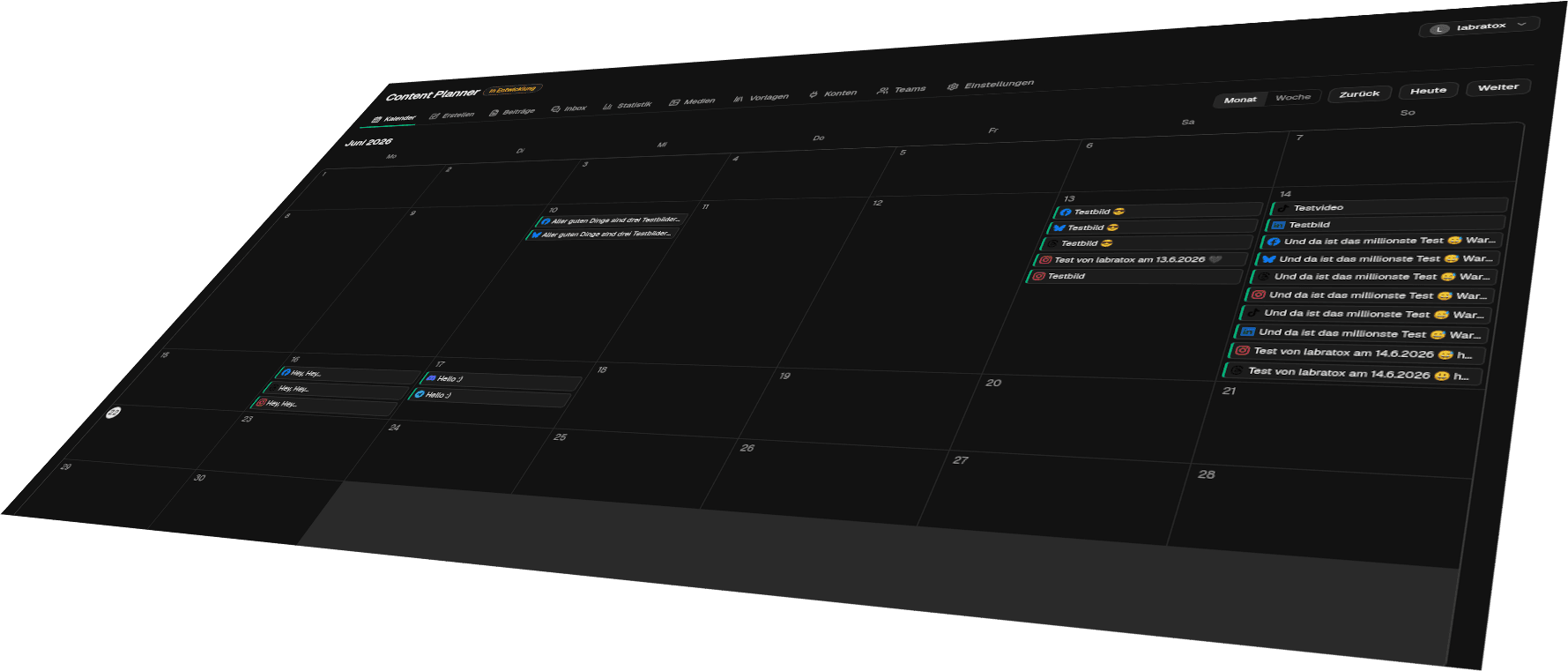
Month and week views show what goes out when. Drag and drop moves a post to another day. At the scheduled time klixly publishes on its own, even with your computer switched off.
- Suggested times based on reactions to your past posts, or on clicks on your bio page as a fallback
- Another attempt if a platform is briefly unreachable
- Status per network and for the whole post: published, partly published or failed
- Time zone configurable per team
AI drafts in your voice
Describe what it's about and get a text draft, or alt text from the image. Set a tone and sample posts per brand so drafts sound like you.
- Drafts are marked as unreviewed and can only be scheduled once you confirm them
- Billed in credits: 4 per text, 1 per alt text
- Credits are included in your plan and can be topped up
- The AI only runs when you ask it to
Work as a team, with approvals
Invite colleagues and assign roles. If you want, posts from editors go into an approval queue before they're scheduled. Invited people don't need a plan of their own.
- Roles: owner, admin, editor and viewer
- Approve or send back with a note
- Multiple brands with their own accounts and voice (Business)
- Teams are included in the Business plan
See what works
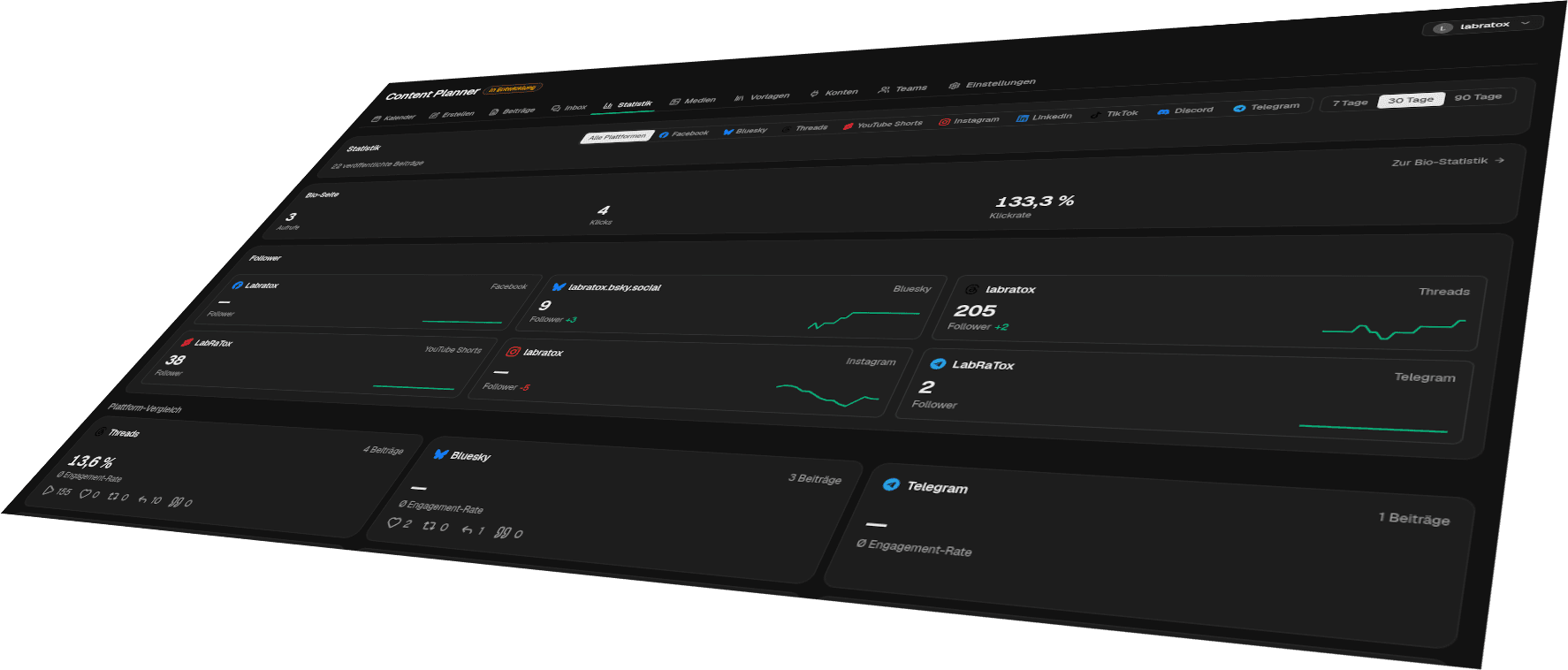
Reach, interactions and, where the network provides them, clicks per post, compared across networks. Plus your follower trend and the times your posts perform best.
- Top posts and a sortable overview of all posts
- Heatmap by weekday and hour
- Follower trend per account (except LinkedIn and Discord)
- Your bio page numbers right next to it
Answer comments in one place
Comments on your posts on Facebook, Instagram, Threads and Bluesky land in one inbox. Reply straight from klixly, mark things as read and hide what doesn't belong.
- Filter by network, unread or replied
- Reply, hide and, depending on the network, like or delete
On the go with the klixly app
The Android app shows your calendar and posts, and lets you write and schedule new ones. A push notification tells you when a scheduled post is out or something went wrong.
- Write, crop and schedule posts
- Push when a scheduled post goes out or fails, or a connection expires
- Resend failed posts with one tap in the detail view
Per network
Every platform's quirks are built in
Each network has its own rules. The planner knows them and asks for exactly what the platform needs.
- Facebook
Posts on your Facebook Page with text, images or video. You pick the Page after connecting.
- Instagram
Feed post, Reel or Story, carousels with up to ten images. Requires a professional account (Business or Creator) linked to a Facebook Page.
- Threads
Text, images, video and carousels, with a counter for the 500-character limit.
- TikTok
Videos and photo posts. Set visibility and comments per post, plus duet and stitch for videos, and commercial content disclosure.
- LinkedIn
Posts on your personal profile, with images or video.
- YouTube Shorts
Shorts with their own title, visibility, category and made-for-kids flag.
- Pinterest
Pins from an image, a carousel with up to five images or a video. Pick the board right in the editor.
- Bluesky
Posts with images and alt text or with video, connected via an app password.
- Mastodon
Works with your account on any instance.
- Telegram
Posts in your channel through your own bot, including multiple images.
- Discord
Messages into a channel on your server, with up to ten attachments.
Plans
Pro for you, Business for your team
The planner comes with Pro. Business lifts the limits and adds teams.
| Pro€4 per month | Business€12 per month | |
|---|---|---|
| Brands | 1 | unlimited |
| Connected accounts | 4 | unlimited |
| Scheduled posts per network and month | 15 | unlimited |
| AI credits per month | 60 | 200 |
| Hashtag sets | 5 | unlimited |
| Text templates | 5 | unlimited |
| Team members in addition to you | not included | 5 |
| Approval workflow | not included | included |
| Instagram auto-DM on keyword comments | not included | not included |
Privacy
Your data, only for your service
klixly uses the data from your connected accounts solely to provide the features you requested: publishing posts, importing your existing posts, showing statistics and bringing comments into your inbox. We do not sell data. It is only passed on where a feature requires it: to the networks you publish on, to Anthropic when you request an AI draft, and to Google Firebase for push notifications to the app. Access tokens are stored encrypted. If you disconnect an account, klixly deletes its access tokens, statistics, comments and imported posts. Posts published through klixly stay in your history until you delete them or your klixly account.
- Hosted on our own server in Germany.
- AI features only run when you call them. What is sent to the AI provider is listed in the privacy policy.
Frequently asked questions
Does klixly publish my posts automatically?
Yes. At the scheduled time the post goes out without you doing anything, even if you're offline. If a platform is briefly unreachable, klixly retries several times and then shows you the status per network.
How are posts counted on the Pro plan?
The quota applies per network and month. A post that appears on Instagram and Threads counts once for Instagram and once for Threads, and twice for Instagram if you've connected two Instagram accounts. It counts in the month you create the post. Drafts and canceled posts don't count, and the planner settings show how much you have left.
Do I need a specific Instagram account?
Yes. Instagram only allows publishing through its API for professional accounts (Business or Creator) linked to a Facebook Page. Switching is free in the Instagram app and takes a few minutes.
Does the AI write my posts?
It writes drafts when you ask for them. Every draft is marked as unreviewed and can only be scheduled once you've confirmed or edited it. No AI text goes out without your click.
Can I work with my team?
On the Business plan you can invite up to five people and assign roles. They don't need a plan of their own, a free klixly account is enough. If you want, posts from editors have to be approved before they're scheduled.
What happens to my data when I disconnect an account?
If you disconnect an account, klixly deletes its access tokens, statistics, comments and imported posts. Posts published through klixly stay in your history until you delete them. If you delete your klixly account, everything is removed. Until then, tokens are stored encrypted on our server in Germany.
Plan your first post
Create a free account, switch to Pro or Business and connect your channels. Your first scheduled post is only a few minutes away.